Rows drawn to one scale.
Collection pages, home plates, recommendations and recently viewed all draw pieces at the same scale, with a scale bar. A stool is small because it is small.
 mufatechSTUDIO
Live demo ↗ (opens in a new tab)
mufatechSTUDIO
Live demo ↗ (opens in a new tab)
DATUM / SHOPIFY THEME FOR FURNITURE & INTERIOR OBJECTS
Submitted to the Shopify Theme Store · version 1.0.0
Datum turns a furniture store into a catalogue. Each piece is drawn at its true size next to the others, with its measurements, so a customer can see that the armchair is half the sofa before anything is delivered.
Demo storefront password: datum


HIGHLIGHTS
Furniture is bought by size first. Datum puts size at the centre of every page, and reads it from the fields you already keep.
Collection pages, home plates, recommendations and recently viewed all draw pieces at the same scale, with a scale bar. A stool is small because it is small.
Width, height, depth and seat height come from product or variant metafields. Use Datum’s names or type your own; Dimension and plain number fields both work.
The customer types the narrowest doorway and the wall it will stand against, and the product sheet answers in their units.
Cover, contents, piece, materials, room, set, notes and showrooms plates, numbered in page order like a printed catalogue, each one a section you can move or remove.

INCLUDED WITH DATUM
The tools a furniture store usually adds as apps are part of the theme, built on Shopify’s own cart, forms, inventory and metafields, and set up in the theme editor.
The app stack it replaces
All 22 included tools have a paid Shopify app equivalent. Added up at typical starting prices, a comparable app stack comes to:
Typical starting prices of popular Shopify App Store apps offering comparable features, checked September 2026. Each range spans the lowest paid plans of two or three apps per tool, and the totals add those ranges up, rounded down. Some apps combine several features and many offer limited free plans, so an actual stack may cost less. Prices vary by plan and change over time.
Every piece drawn at its true size, so the customer can judge it before it arrives.
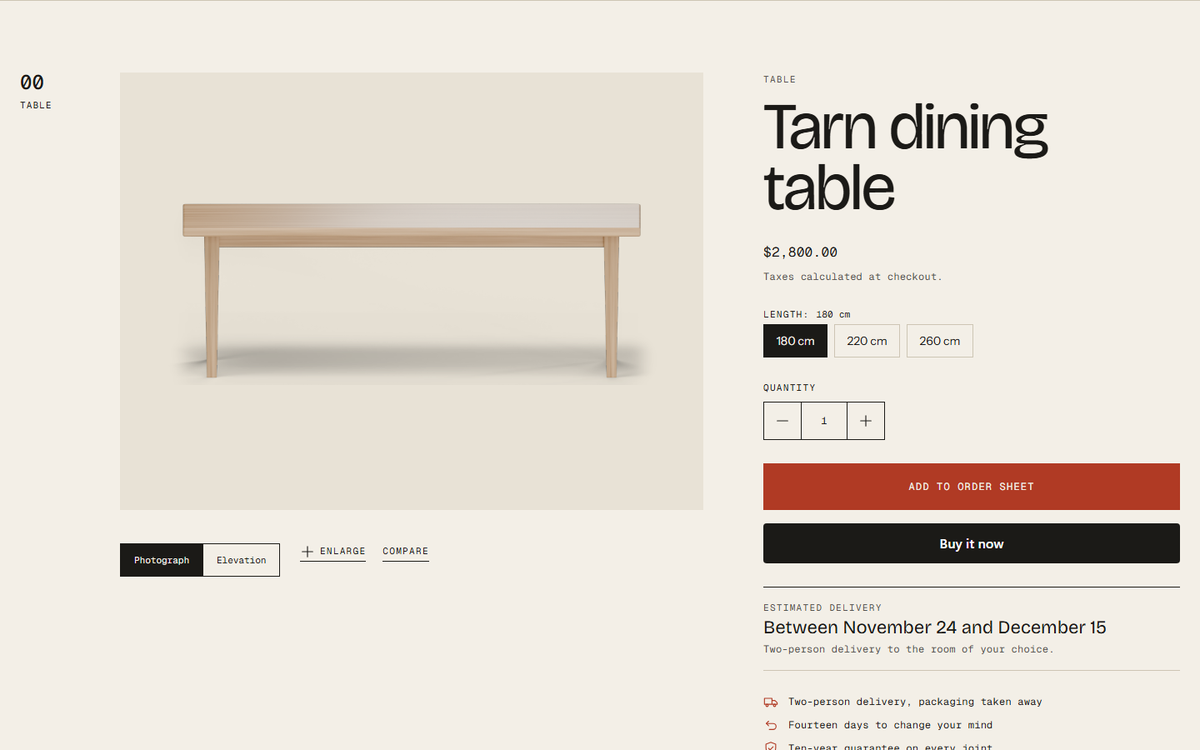
Width, height, depth and seat height from your own fields, with a doorway and wall check against the customer’s numbers.
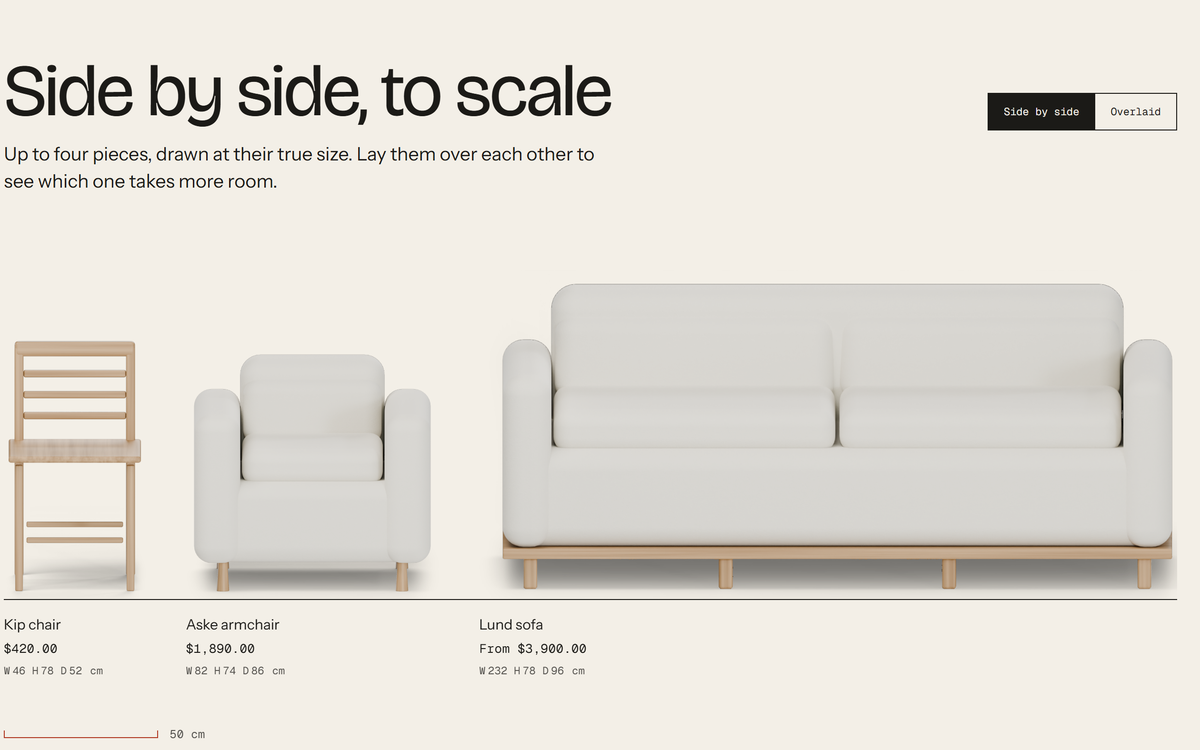
Up to four pieces side by side or overlaid, at one scale, with a 50 cm scale bar.
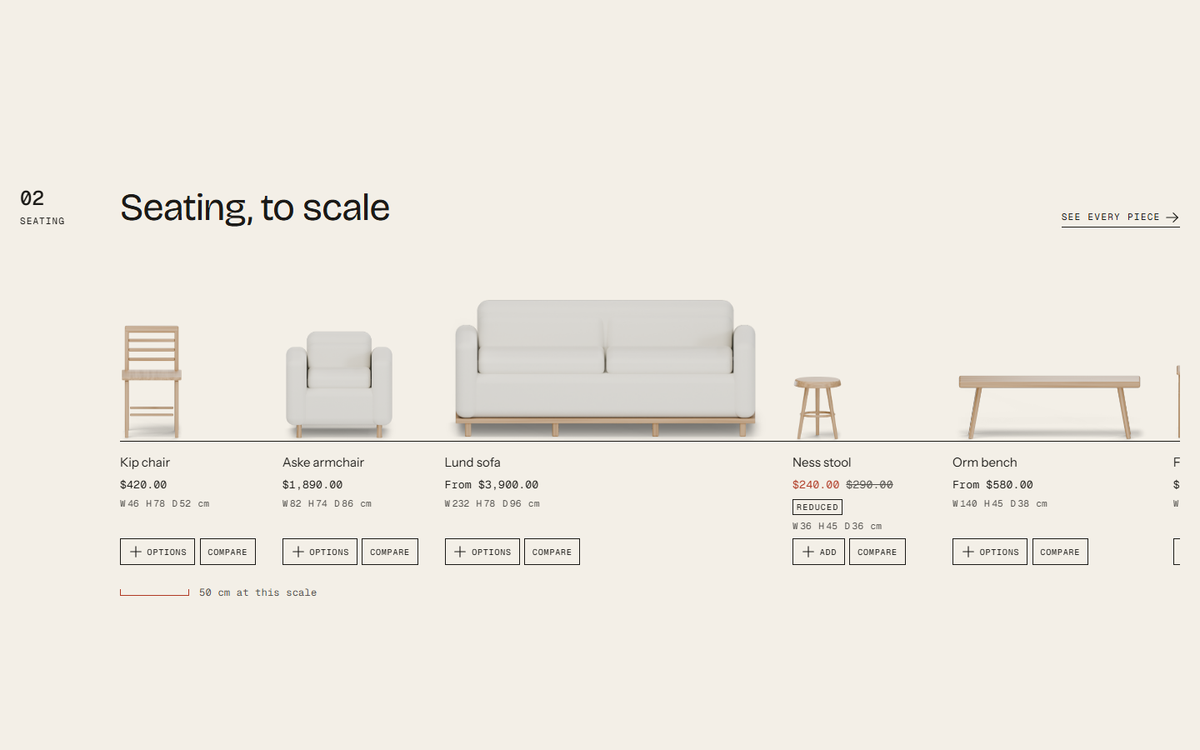
Options and add to the order sheet from any row, without leaving the page.
Pieces, collections and pages as the customer types, with keyboard control.
The pieces a visitor looked at, drawn in one row at the same scale. Stored in their browser only.
Photographs and the elevation drawing at full size, with zoom and keyboard navigation.
From the first piece to a furnished room, in one sheet.
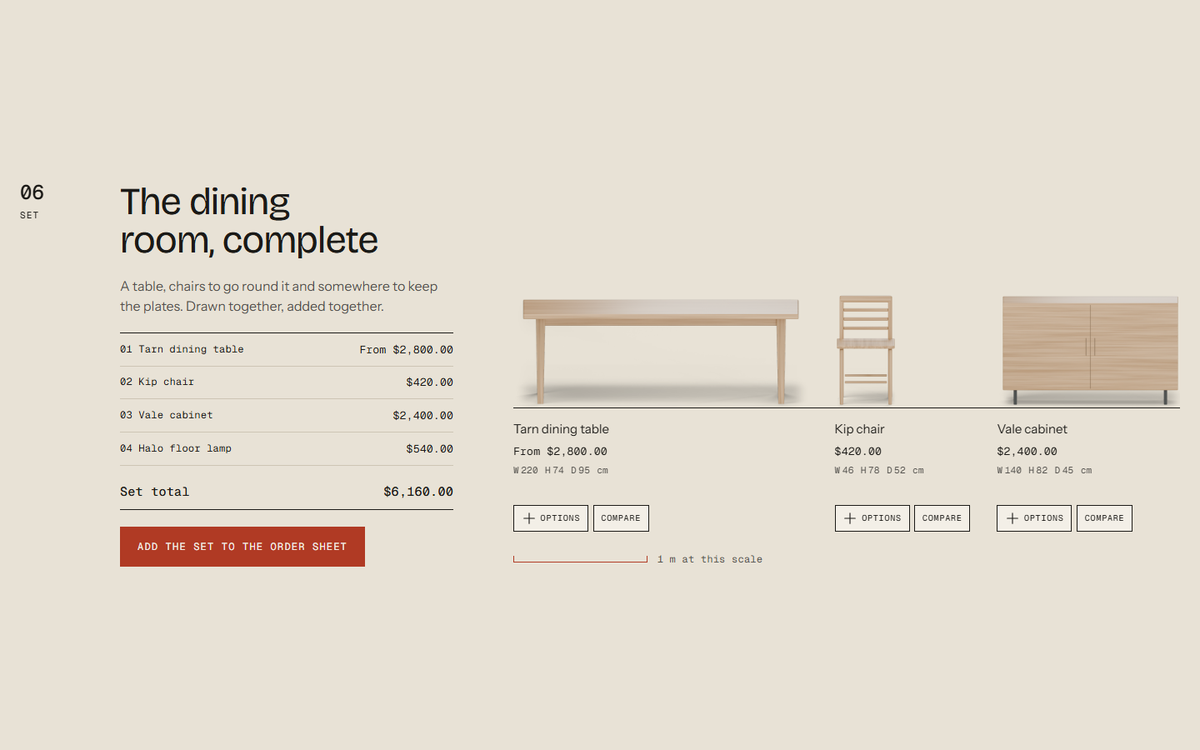
A table, its chairs and the cabinet, drawn together and added to the order sheet in one step. No bundle discount is applied.
Price, option and the order button stay in view while the customer reads the sheet.
How far the order is from your free delivery amount, in the store currency.
A chosen collection or Shopify’s complementary products, added with one tap.
A quiet line when few are left. Nothing shows when inventory is not tracked, and there is no countdown.
A delivery window worked out from the lead time and your delivery days.
The conversations a furniture store has every week, sent through Shopify’s own contact form.
The button reads “Order to be made” and states the lead time when a piece is built after ordering.
A sold-out piece collects the customer’s email. You reply by hand or with Shopify Flow.
Designers and trade buyers ask for a quote on a quantity. Prices stay visible.
A note on the line item for a special length, fabric or finish.
Customers ask to visit a showroom. No calendar or time slots; your team replies to arrange it.
Topics, opening hours and addresses, on Shopify’s contact form.
Quiet messages around the catalogue.
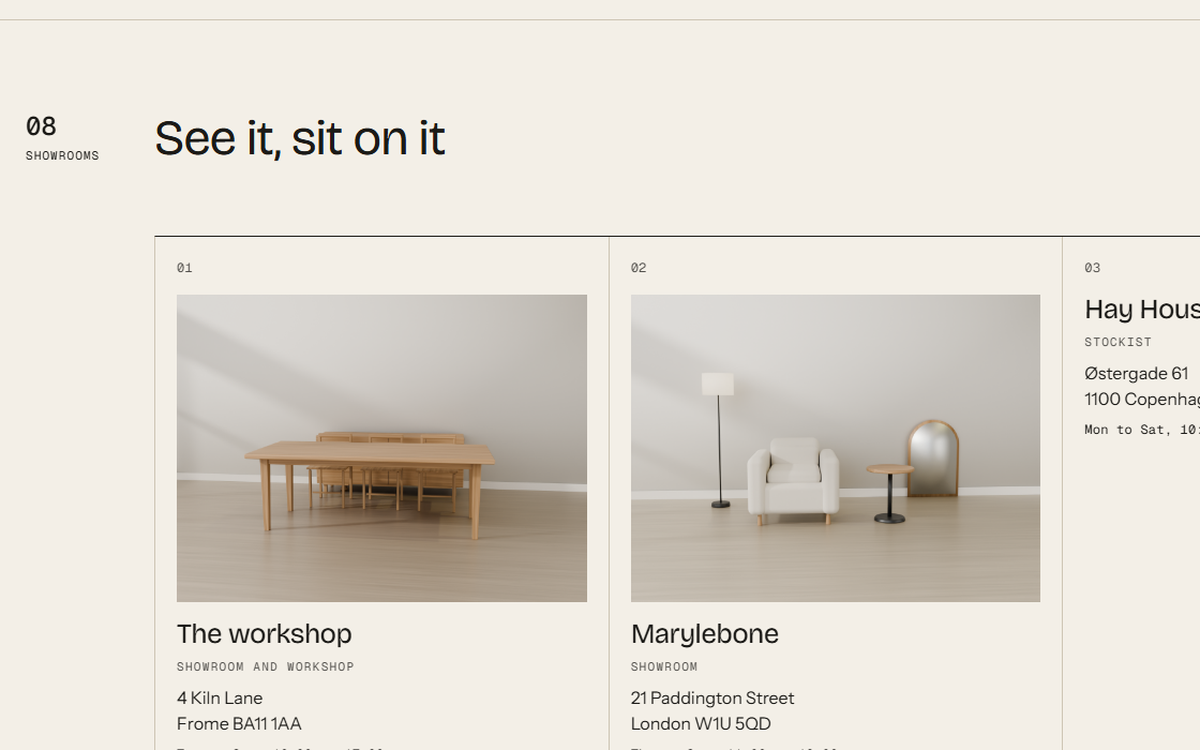
Addresses, hours and photographs for each showroom, with the visit request built in.
Several short messages in turn, pausable and reduced-motion aware.
Delivery, returns and guarantee promises, with your own icons and words.
An understated sign-up for the printed or seasonal catalogue, shown once.
Tools depend on the content and settings you configure. Filters use the free Shopify Search & Discovery app; pickup uses your locations. Demo products, photographs and prices are illustrative. See the documentation for how each tool is set up.
WHAT IT DOES NOT DO
So you know where an app or your own process still has a place.
Back in stock, trade quotes and showroom visits come through Shopify’s contact form. You reply by hand or with Shopify Flow; Datum sends no automatic alerts.
Complete the room adds the pieces together. Pair it with a Shopify automatic discount if you want a set price.
The low stock line shows real inventory and nothing when inventory is not tracked. There is no countdown timer.
Compare and recently viewed live in the visitor’s browser. Nothing is sent anywhere and nothing needs a cookie banner.
SETUP & SUPPORT
Questions about Datum, its setup or an issue go straight to the people who build it, through the support form or by email. First reply within one business day.
[email protected] ↗Datum has been submitted to the Shopify Theme Store, where it will be installed like any other theme once it is listed. Until then you can explore the live demo with the password datum, and write to us to hear when it is available.
Yes. Datum reads width, height, depth and seat height from product or variant metafields. If your fields have other names, type them in Theme settings → Dimensions. Dimension fields carry their own unit; for plain number fields you choose the unit once.
Either. Choose how measurements are shown, and Datum converts from whatever unit they are stored in.
They still appear, as ordinary tiles marked “Not to scale”, so you can add measurements at your own pace.
It is made for furniture, lighting and interior objects, and suits any catalogue where size decides the purchase: rugs, ceramics, planters or outdoor pieces.
No. The demo pieces, their photographs and prices are illustrative, made to show how the theme presents a real catalogue.
DATUM · LIVE DEMO
Browse the demo store: twenty pieces drawn to scale, a furnished room, a dining set and the compare page.
Demo storefront password: datum